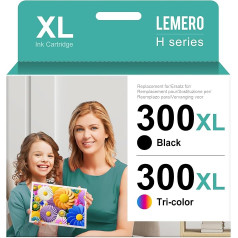
Package: 1 set of 940XL 4pcs ink cartridges (1 BK / 1 C / 1 Y / 1 M) The cartridges are packed in a single PE polybag. This professional packaging method can avoid damage or leakage of ink. ◆ Quality guarantee: After use, the ink cartridges can show the ink level. Test 2 times: ① 100% function test after completion of production; 100% function test before shipping. You will be 100% satisfied with our products. Buy it with confidence today. ◆Technology Support:We have a factory in China. Our technology team leader has been working for approx. 20 years in printing consumables. If you have any problems with operation or installation, just contact us. We can support and help you very strongly. ◆ Warranty Card: We will send warranty card with shipment. Our error rate is very low due to double tests before shipping. However, if you have a defect, we make sure we are very honest within 2 years: 1) Send well and new to you as a replacement, it is free; 2) Refund the payment to you fully. ◆ If you have any problems (including invoice request), please contact us via login to your Amazon buyer account > Click on your account > Your orders > Search your order and click \; Product description Package includes: 1 x Black, 1 x Cyan, 1 x Magenta, 1 x Yellow, 1 Set of 940XL Ink Cartridges (4 Pack) 100% compatible with the following printers: . HP Officejet Pro: 8000 - A809a, 8000 Enterprise - A811a, 8000 Wireless - A809n. . HP Officejet Pro: 8500A - A910a, 8500A Plus - A910g, 8500A Premium - A910n. Normal printing problem solving: . The ink cartridge cannot be recognized by the printer: 1. Confirm the colour of the ink cartridge and check whether the ink cartridge is placed in the correct position and direction for all colours or not. 2. Take out the ink cartridge for all colours and then turn off the printer. 3. Turn on the printer. 4. Install a colour (for example: BK colour) and check the printer what says on the screen. If you say this BK color is ok. 5. Take out the BK color and install another color (only one color each time for testing). If the printer shows as step ④, this means that this colour is also fine. 6. You will receive the answer via step ④ and ⑤ that the colour of the ink cartridges is not recognised by the printer. 7. Clean the chip and probe on the print head, install all cartridges for all colours. If some ink cartridges cannot be recognized, we will replace them as soon as possible. Note: 1. Our ink cartridges are compatible, not original, not OEM product. 2. If the print head is clogged, please clean the print head. 3. When replacing the print head, please clean the print head 2-3 times each time. Customer service / How to contact us (2 years money back guarantee): Produktliste > Klicken Sie auf Verkauf durch Lucky Bridge > Wählen Sie die Option Ask eine Frage Log in to your account > Click on your account > Your order > Find your order and click Contact Seller.; Product description Package includes: 1 x Black, 1 x Cyan, 1 x Magenta, 1 x Yellow, 1 Set of 940XL Ink Cartridges (4 Pack) 100% compatible with the following printers: . HP Officejet Pro: 8000 - A809a, 8000 Enterprise - A811a, 8000 Wireless - A809n. . HP Officejet Pro: 8500A - A910a, 8500A Plus - A910g, 8500A Premium - A910n. Normal printing problem solving: . The ink cartridge cannot be recognized by the printer: 1. Confirm the colour of the ink cartridge and check whether the ink cartridge is placed in the correct position and direction for all colours or not. 2. Take out the ink cartridge for all colours and then turn off the printer. 3. Turn on the printer. 4. Install a colour (for example: BK colour) and check the printer what says on the screen. If you say this BK color is ok. 5. Take out the BK color and install another color (only one color each time for testing). If the printer shows as step ④, this means that this colour is also fine. 6. You will receive the answer via step ④ and ⑤ that the colour of the ink cartridges is not recognised by the printer. 7. Clean the chip and probe on the print head, install all cartridges for all colours. If some ink cartridges cannot be recognized, we will replace them as soon as possible. Note: 1. Our ink cartridges are compatible, not original, not OEM product. 2. If the print head is clogged, please clean the print head. 3. When replacing the print head, please clean the print head 2-3 times each time. Customer service / How to contact us (2 years money back guarantee): Produktliste > Klicken Sie auf Verkauf durch Lucky Bridge > Wählen Sie die Option Ask eine Frage Log in to your account > Click on your account > Your order > Find your order and click Contact Seller.; Package includes: 1 x Black, 1 x Cyan, 1 x Magenta, 1 x Yellow, 1 Set of 940XL Ink Cartridges (4 Pack) 100% compatible with the following printers: . HP Officejet Pro: 8000 - A809a, 8000 Enterprise - A811a, 8000 Wireless - A809n. . HP Officejet Pro: 8500A - A910a, 8500A Plus - A910g, 8500A Premium - A910n. Normal printing problem solving: . The ink cartridge cannot be recognized by the printer: 1. Confirm the colour of the ink cartridge and check whether the ink cartridge is placed in the correct position and direction for all colours or not. 2. Take out the ink cartridge for all colours and then turn off the printer. 3. Turn on the printer. 4. Install a colour (for example: BK colour) and check the printer what says on the screen. If you say this BK color is ok. 5. Take out the BK color and install another color (only one color each time for testing). If the printer shows as step ④, this means that this colour is also fine. 6. You will receive the answer via step ④ and ⑤ that the colour of the ink cartridges is not recognised by the printer. 7. Clean the chip and probe on the print head, install all cartridges for all colours. If some ink cartridges cannot be recognized, we will replace them as soon as possible. Note: 1. Our ink cartridges are compatible, not original, not OEM product. 2. If the print head is clogged, please clean the print head. 3. When replacing the print head, please clean the print head 2-3 times each time. Customer service / How to contact us (2 years money back guarantee): Produktliste > Klicken Sie auf Verkauf durch Lucky Bridge > Wählen Sie die Option Ask eine Frage Log in to your account > Click on your account > Your order > Find your order and click Contact Seller.
|