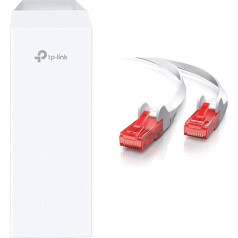
Speedy Wi-Fi – A top-class wireless experience. Simultaneous dual band: up to 300 Mbps on 2.4 GHz and up to 867 Mbps on 5 GHz. Beamforming Technology - Improves range and coverage. The beamforming technology and the three external antennas simultaneously ensure greater stability. Versatile connectivity - Fully compliant with VDSL2/ADSL2+/ADSL2/ADSL standards, fiber optic cables and Internet services 3G/4G. IEEE Standards: IEEE 802.3, IEEE 802.3u, 802.3ab; VDSL2 Standards: ITU G.993.2, Up to 17a Profile (POTS), ITU-T G.993.5 (G.vector), ITU-T G.998.4 (G.INP); ADSL Standards: ANSI T1.413, Issue 2, ITU-T G.992.1 (G.DMT), ITU-T G.992.2 (G.Lite), ITU-T G.994.1 (G.hs), ITU -T G.995.1; ADSL2 Standards: ITU-T G.992.3 (G.DMT.bis), IT. U-TU-T G.992.4 (G.lite.bis); ADSL2+ standards: ITU-T G.992.5 To ensure your wired devices reach peak performance, the router's Gigabit Ethernet ports work 10x faster than standard Ethernet. When you connect an external drive to the USB 2.0 port, you can share files, photos, music and videos with all devices on the network (ports: 1 x Gigabit LAN/WAN + 3 x Fast LAN + 1 x USB). › See more product details; Product description Product Description AC1200 Wi-Fi VDSL/ADSL Modem Gigabit Router, CPU, 802.11ac/a/n/g/b, 867 Mbps at 5 GHz and 300 Mbps at 2.4GHz, 1GE WAN/LAN+3FE LAN, 1 USB 2.0, 3 fixed antennas, Beamforming, Tether App, Clound Support, with VDSL spspsp., spsplitter A TP-Link is a world-leading manufacturer of smart communication products and has made a name for itself in Europe, especially in the D-A-CH region through efficient, reliable products/services. The range includes award-winning WLAN, DSL routers, Powerline adapters, WLAN amplifiers, UMTS/LTE modems, print servers, IP cameras, smart home products and smartphones. For the professional user, TP-Link offers switches, access points or directional radio hardware. Because the powerline adapter works at the same frequency as the DSL telephone line, if they are too close to each other, there may be interference between them. As a result, the DSL modem router can often lose the Internet connection. We can try to enable lower PLC to VDSL interference mode and see if the problem can be resolved. If the problem persists after enabling the interference mode between lower PLC and VDSL, try the following troubleshooting methods: Confirm if the VDSL telephone line has rolled into a ball or circle because it is too long. If so, please cut off the phone line and align it straight. It has been confirmed that under the same conditions when rolling up the telephone line, the interference received from the VDSL telephone line is much higher than when straightening, which is likely to lead to frequent Internet outages. Legal Disclaimer If the specified texts, in particular in the context of the product descriptions or the product information, speak of \; Product description Product Description AC1200 Wi-Fi VDSL/ADSL Modem Gigabit Router, CPU, 802.11ac/a/n/g/b, 867 Mbps at 5 GHz and 300 Mbps at 2.4GHz, 1GE WAN/LAN+3FE LAN, 1 USB 2.0, 3 fixed antennas, Beamforming, Tether App, Clound Support, with VDSL spspsp., spsplitter A TP-Link is a world-leading manufacturer of smart communication products and has made a name for itself in Europe, especially in the D-A-CH region through efficient, reliable products/services. The range includes award-winning WLAN, DSL routers, Powerline adapters, WLAN amplifiers, UMTS/LTE modems, print servers, IP cameras, smart home products and smartphones. For the professional user, TP-Link offers switches, access points or directional radio hardware. Because the powerline adapter works at the same frequency as the DSL telephone line, if they are too close to each other, there may be interference between them. As a result, the DSL modem router can often lose the Internet connection. We can try to enable lower PLC to VDSL interference mode and see if the problem can be resolved. If the problem persists after enabling the interference mode between lower PLC and VDSL, try the following troubleshooting methods: Confirm if the VDSL telephone line has rolled into a ball or circle because it is too long. If so, please cut off the phone line and align it straight. It has been confirmed that under the same conditions when rolling up the telephone line, the interference received from the VDSL telephone line is much higher than when straightening, which is likely to lead to frequent Internet outages. Legal Disclaimer If the specified texts, in particular in the context of the product descriptions or the product information, speak of \; Product Description AC1200 Wi-Fi VDSL/ADSL Modem Gigabit Router, CPU, 802.11ac/a/n/g/b, 867 Mbps at 5 GHz and 300 Mbps at 2.4GHz, 1GE WAN/LAN+3FE LAN, 1 USB 2.0, 3 fixed antennas, Beamforming, Tether App, Clound Support, with VDSL spspsp., spsplitter A TP-Link is a world-leading manufacturer of smart communication products and has made a name for itself in Europe, especially in the D-A-CH region through efficient, reliable products/services. The range includes award-winning WLAN, DSL routers, Powerline adapters, WLAN amplifiers, UMTS/LTE modems, print servers, IP cameras, smart home products and smartphones. For the professional user, TP-Link offers switches, access points or directional radio hardware. Because the powerline adapter works at the same frequency as the DSL telephone line, if they are too close to each other, there may be interference between them. As a result, the DSL modem router can often lose the Internet connection. We can try to enable lower PLC to VDSL interference mode and see if the problem can be resolved. If the problem persists after enabling the interference mode between lower PLC and VDSL, try the following troubleshooting methods: Confirm if the VDSL telephone line has rolled into a ball or circle because it is too long. If so, please cut off the phone line and align it straight. It has been confirmed that under the same conditions when rolling up the telephone line, the interference received from the VDSL telephone line is much higher than when straightening, which is likely to lead to frequent Internet outages. Legal Disclaimer If the specified texts, in particular in the context of the product descriptions or the product information, speak of \
|